
Download Menoo – restaurant reservation, digital menu, food ordering, table reservation, online payment, takeout ordering, dining experience, food delivery, mobile app
Overview
Menoo is a mobile application designed to streamline and enhance the dining experience for users who frequently eat out. Developed by Menoo Uruguay, the app operates within the Food & Drink category and is available for free on Android devices. Its primary purpose is to eliminate common frustrations associated with dining, such as long wait times, uncertain table availability, and inefficient ordering processes. By offering integrated tools for table reservation, digital menu access, food preordering, and online payments, Menoo aims to provide a seamless and efficient experience from arrival to checkout.
Target users include individuals seeking convenience in their daily dining routines, professionals on tight schedules, and families or groups planning meals without the hassle of waiting. The app is particularly useful for users who value time efficiency and a contactless dining process. Real-world scenarios include booking a table for a business lunch, preordering dinner for a family gathering, or selecting a pickup time for takeout without leaving the office. While the developer did not provide additional details about the company’s background, the app’s focus on user-centric functionality suggests a strong alignment with modern digital lifestyle trends.
Key Features & Capabilities
- Table Reservation – Users can reserve a table at their preferred restaurant for a specific date and time, ensuring availability upon arrival.
- Preorder Food – Allows users to place food orders in advance, so meals are prepared and ready when they arrive.
- Digital Menu Access – Offers a digital card with the full menu, enabling users to browse and order without waiting for a physical menu or server.
- Online Payment Integration – Supports secure credit or debit card transactions, eliminating the need for cash and streamlining checkout.
- Takeout Ordering – Enables users to order food for pickup at a chosen time, optimizing time management and reducing wait times.
- On-Site Table Activation – Users can open a table directly upon arrival, even without a prior reservation, and begin ordering immediately.
These features collectively support a frictionless dining workflow. For example, a user arriving at a restaurant can open a table via the app, browse the digital menu, prepay, and have their meal ready upon seating. Similarly, someone planning a weekend dinner can reserve a table and preorder dishes to avoid delays. The integration of multiple functions into a single platform reduces the need for multiple apps and enhances overall convenience.
User Interface, Workflow & Performance
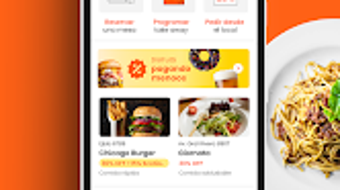
The user interface of Menoo appears to be designed with simplicity and efficiency in mind, prioritizing quick access to core functions like reservation, ordering, and payment. Navigation is likely structured around a central dashboard, with clearly labeled sections for reservations, digital menu, and order history. The workflow is streamlined to minimize steps: users can move from selecting a restaurant to placing an order in just a few taps.
Given that the app is optimized for Android, it is expected to function smoothly on modern smartphones with standard processing power and memory. However, exact performance details were not specified by the developer. General software behavior patterns suggest responsive interactions, but specific metrics on CPU or RAM usage are unavailable. Stability during peak usage times is not confirmed, though the app’s design implies robust handling of concurrent requests. The developer did not specify resource usage details, so users should expect standard performance levels typical of lightweight mobile applications.
Compatibility & System Requirements
Menoo is available exclusively for Android devices, with the current version being 1.0.1. The installation size is 12.5 MB, indicating a lightweight application that does not require significant storage space. This makes it suitable for a wide range of Android smartphones and tablets, including lower-end models. However, the developer did not provide additional system requirements, such as minimum Android version, processor speed, or RAM specifications.
Compatibility information is limited to the OS platform and version. Users should ensure their device runs a supported Android version, though the exact minimum version is not listed. The lack of detailed hardware requirements means that installation and operation on older or less powerful devices cannot be confirmed. For optimal performance, users may benefit from devices with updated Android versions and sufficient memory, but no official recommendations were provided.
Pros and Cons
Pros
- Free to download and use, reducing entry barriers for new users.
- Integrates multiple dining functions—reservation, ordering, payment, and takeout—into one platform.
- Supports preordering and digital menu access, minimizing wait times.
- Offers secure online payment options for a contactless experience.
- Lightweight installation size (12.5 MB) ensures minimal storage impact.
Cons
- Availability limited to Android; no support for iOS or other platforms.
- Exact system requirements and compatibility details were not provided.
- Performance and stability under high load conditions are not documented.
- App functionality is restricted to restaurants that have partnered with Menoo.
- Limited information on data privacy and security protocols.
FAQ Section
Is Menoo available for iOS devices?
Currently, Menoo is only available for Android. There is no official information about an iOS version at this time.
Is the app safe to use for online payments?
Menoo supports online payments via credit or debit cards. While the app includes secure transaction features, specific details about encryption standards or security certifications were not provided by the developer.
How often does Menoo receive updates?
The app’s current version is 1.0.1, released on April 10, 2024. No information was provided about the update frequency or release schedule.
Does Menoo require an internet connection?
Yes, Menoo requires an active internet connection for all core functions, including reservations, ordering, payment processing, and real-time menu access.
Can I use Menoo without a reservation?
Yes, users can open a table upon arrival at a restaurant, even without a prior reservation, and begin ordering directly through the app’s digital menu.
Final Thoughts
Menoo presents a compelling solution for users seeking a more efficient and modern dining experience. Its integration of reservation, digital ordering, preordering, and online payment within a single app simplifies the entire process, from planning to checkout. The free pricing model and lightweight design further enhance its accessibility. While platform exclusivity to Android and limited system requirement details are notable drawbacks, the app’s functionality aligns well with current digital lifestyle trends.
Individuals who dine out regularly—especially professionals, families, and food enthusiasts—will benefit most from Menoo’s time-saving features. The app’s focus on reducing wait times and enabling contactless interactions positions it as a practical tool for modern consumers. With its clear purpose and user-friendly design, Menoo stands out as a promising mobile utility in the food and dining space.
Download Menoo now and transform your next dining experience.






.png)
